
Context inspection
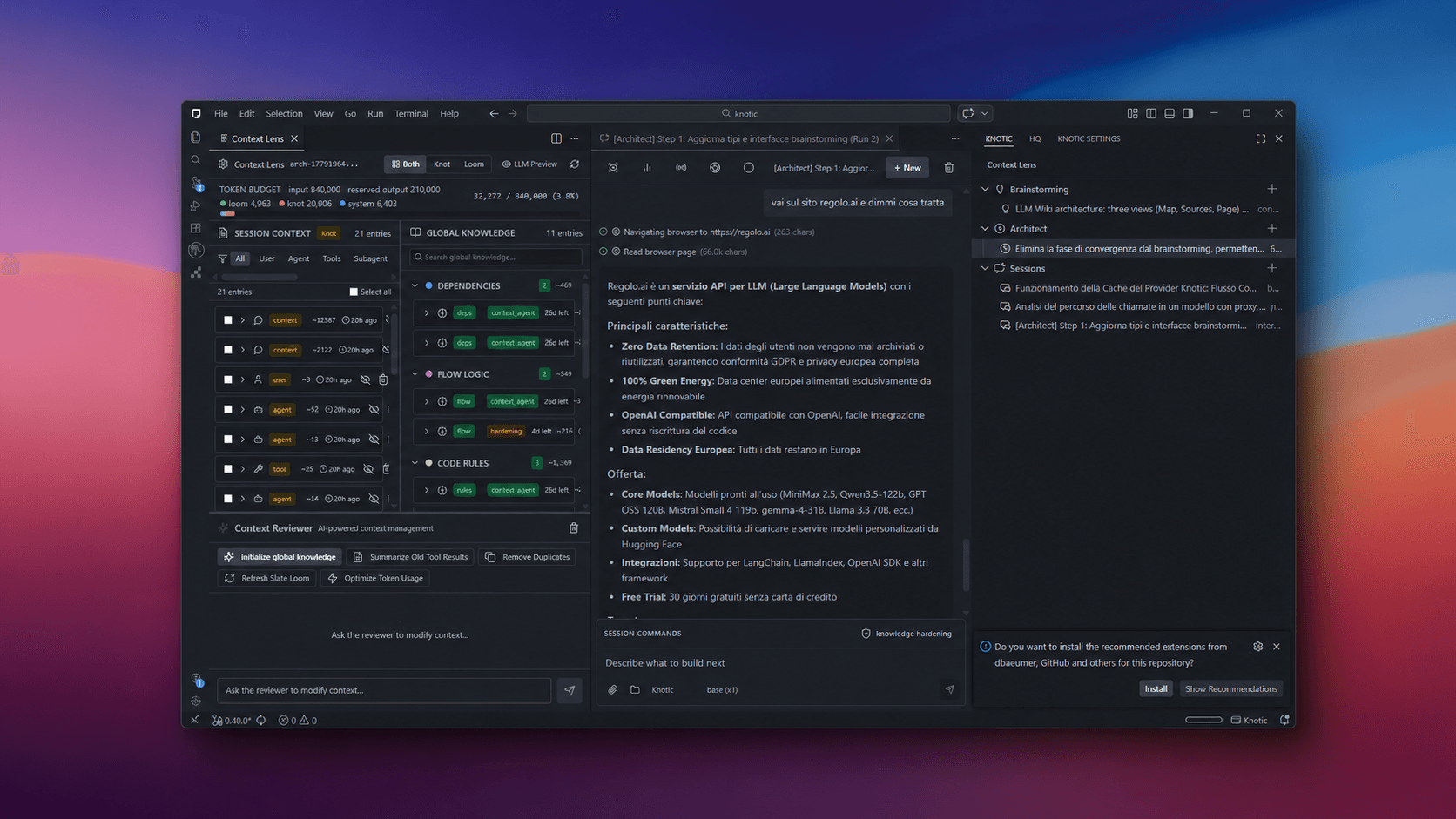
Context Lens lets developers inspect the assembled context before send.
Evidence: the current product view for context blocks, visibility controls, and token budget.
Knotic for regulated software teams
When enterprise buyers ask how AI touches software delivery, give Security and Engineering the same inspectable view of context, providers, shared instructions, and current runtime activity.
Built for SaaS teams whose customers and prospects now review AI use inside software delivery.
Why teams start this search
Customer security questionnaires now ask whether engineers use AI on product code.
Security needs a current answer about the context assembled before send.
Vendor review asks which configured provider and model handle a workflow.
Enterprise procurement asks who owns shared instructions and changes.
Engineering relies on private sessions that cannot be reviewed as team assets.
The team needs product evidence, not another unsupported policy statement.
From question to evidence
A security review requests concrete answers about AI-assisted software delivery.
The team identifies which context, provider, knowledge, and activity surfaces are relevant.
Reviewers inspect the product controls and team-owned configuration that exist today.
The response separates observable evidence from policies, legal conclusions, and future controls.
Knotic intervenes inside the coding workflow: inspect context before send, choose the provider explicitly, reuse versioned team knowledge, and review each call through shared telemetry.
Operational controls
Context Lens lets developers inspect the assembled context before send.
Evidence: the current product view for context blocks, visibility controls, and token budget.
Provider and model choice are explicit in the configured runtime.
Evidence: the documented cloud, BYOK, and local endpoint paths available to the team.
Skills as Code keeps reusable instructions and workflows in Git.
Evidence: repository ownership, review history, and rollback through the team’s existing process.
HQ groups Skills, Monitoring, Models, and MCP Servers in one control area.
Evidence: current runtime activity and usage signals without claiming a certification outcome.
Customer review questions
Use the product to answer technical questions. Keep supplier decisions, legal interpretation, and certification work in the processes that own them.
Inspect the context blocks and estimated token budget prepared for a model call.
Document the configured provider, model, credential path, or local endpoint used for the workflow.
Show repository-owned knowledge and Skills as Code through the team’s normal Git review.
Use the current HQ views for Skills, models, MCP servers, runtime activity, and usage signals.
Record supplier assessment, organizational policy, legal analysis, and certification work separately.
Knotic provides engineering workflow controls. It does not guarantee compliance, certify an organization, or replace legal, security, privacy, or supplier assessment work.
Evidence map
A useful response links to the current product, configuration, repository history, or organizational owner. It does not invent enforcement that the product does not provide.
Who this is for
Knotic may be more system than you need today if these describe your situation.
30 days · 5–10 developers
Test Knotic against one focused delivery workflow before deciding how to roll it out more broadly.
Deliverable
A practical governance baseline for Engineering and Security.
Map current AI tools, providers, and workflows.
Configure prompt visibility and provider routes.
Create initial Skills as Code.
Roll out Knotic to a focused developer group.
Review adoption, usage, cost, and governance evidence.
Produce a rollout recommendation.
Product evidence, not invented proof
Security evaluation
Deployment requirements and security questions can be scoped during an assessment; these links cover the currently published documentation.
If the review starts from a narrower operating problem, continue with workflow traceability in fintech, client knowledge in software services, pre-send minimization in healthtech, cost and provider fragmentation.
Evaluation questions
Start with the technical surfaces that exist today: pre-send context inspection, configured provider paths, repository-owned instructions, and the current HQ control area. Pair each product view with the team process that owns the decision.
No. Knotic can provide inspectable engineering evidence, but your organization remains responsible for the accuracy of questionnaire responses, supplier assessment, policy, and legal interpretation.
No. Knotic supports governance and compliance readiness, but it does not guarantee legal compliance, provide certification, or replace formal legal counsel.
Knotic supports repo-native knowledge, BYOK, and local model workflows. The right configuration depends on your provider and deployment choices, which should be reviewed during the assessment.
Yes. Teams can use multiple providers and local runtimes, then route workflows to appropriate models without tying shared instructions to one vendor.
HQ currently groups Skills, Monitoring, Models, and MCP Servers. It provides a product surface for reviewing repository capabilities, runtime activity and usage signals, configured model lists, and external tool servers.
The goal is to put visibility inside the existing coding workflow. Developers inspect context where they work, while shared skills and explicit provider routes reduce repeated setup and re-prompting.
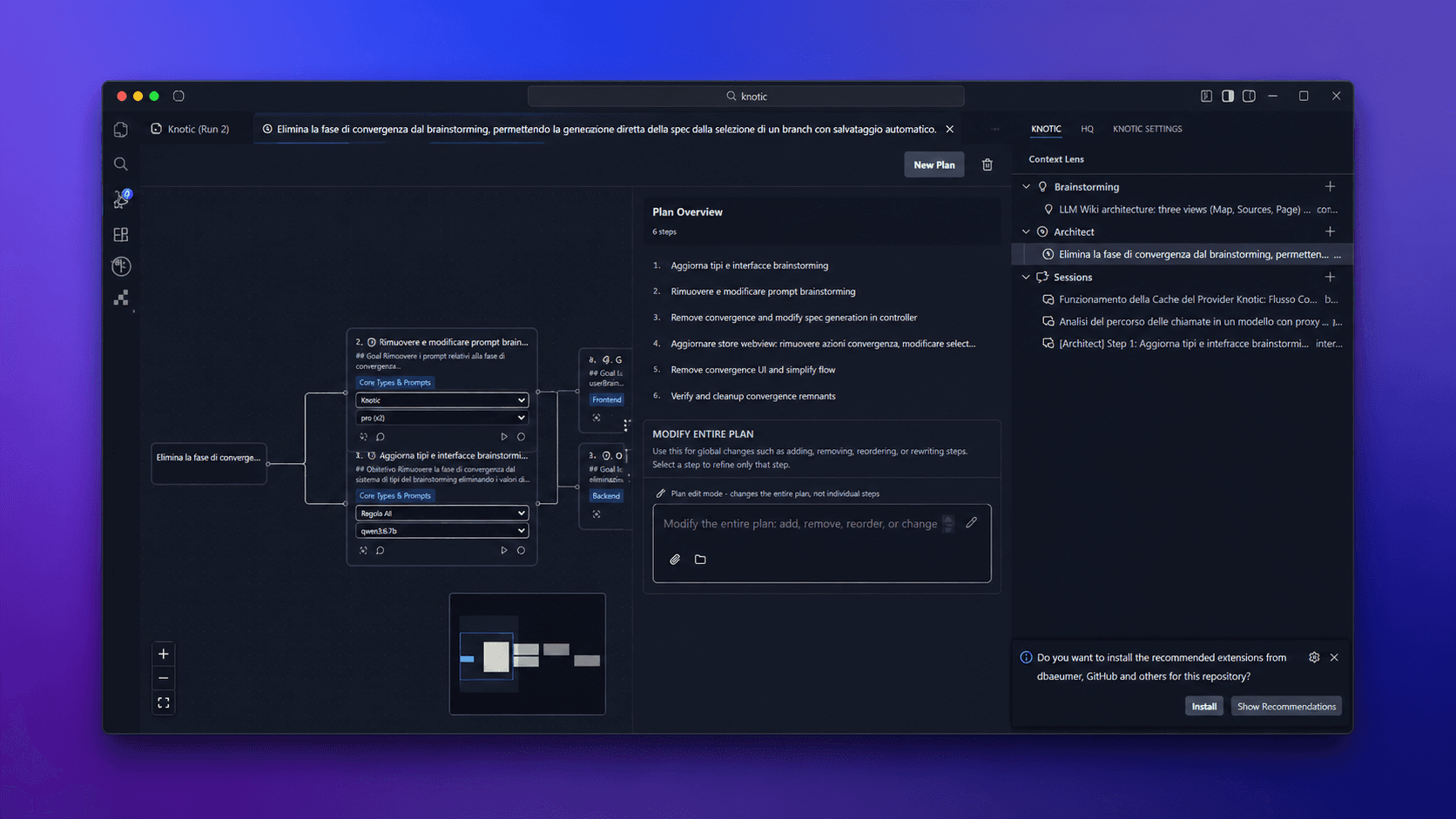
The proposed pilot maps current usage, configures visibility and provider routes, creates initial Skills as Code, rolls out to a focused group, and reviews the product evidence available to Engineering and Security.
The proposed pilot lasts 30 days for 5–10 developers. A wider rollout recommendation is produced from the pilot findings rather than promised before the team and requirements are understood.
Map each question to the product, configuration, repository history, or organizational owner that can support an accurate answer.
Read the technical documentation →