
Give your team’s AI work a shared starting point.
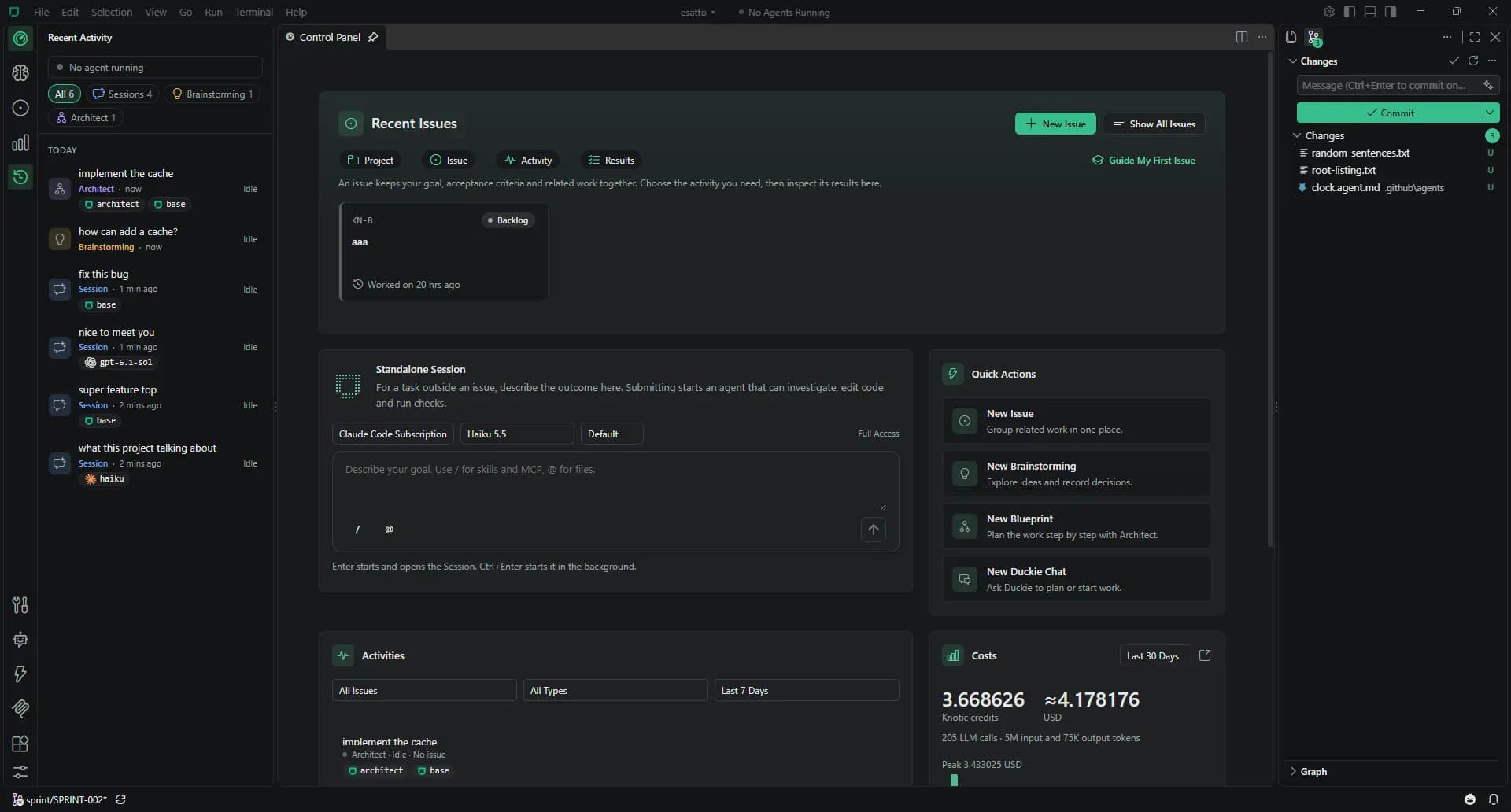
For product teams of 3–15 developers: start from Issues, keep architecture in the repo and follow context and cost on each machine.
The problems your team recognises
- Every developer has a different agent setup and private prompts.
- Architecture rules live in a document that rarely reaches the model.
- A refactor becomes twenty disconnected conversations.
- AI spend is spread across subscriptions and API keys.
- A new teammate needs a conversation to learn how the team uses AI.
A week with Knotic
Monday · Share the architecture
Initialize project memory with Context Lens. Review conventions, add wiki documents and commit .knotic/.
Tuesday · Describe the work
Write Issues with acceptance criteria and optional credit budgets. Choose Session, Architect or Brainstorming for each Issue.
Wednesday · Plan the change
Turn a multi-module change into a Blueprint. Review dependencies and prompts, then pick a coding model per step.
Thursday · Review the cost
Each developer checks local Monitoring and costs per Issue. Use the findings to discuss model choices; reports are not aggregated between machines.
Friday · Keep the findings
Use Knowledge Hardening to turn Session findings into memory. Review the brain.loom diff in a pull request.
What you commit
Knowledge travels with the repository. Conversations, run history and credentials stay on the machine.
Review .knotic/brain.loom and wiki changes in pull requests. Keep Skills and hooks specific to the project. Add project MCP servers in .knotic/mcp.json.
Custom agents live in .github/agents/*.agent.md, alongside your team’s other repository conventions.
Read the Git sharing guidebrain.loom
wiki/
architecture.md
testing.md
skills/
review-migration/SKILL.md
hooks/
run-tests.json
mcp.jsonSessions, accounting and credentials stay on the machine.
Set up Knotic for your team
Install on each machine
Download Knotic and open the repository. No Knotic server to operate.
Connect a provider
Each developer can create a free license key, configure an API or local endpoint, or connect Claude Code or Codex.
Open the first Issue
Pull the project memory, add acceptance criteria and choose an activity. For client work, select the provider per Session or plan.
Team questions
Do we have to use Knotic models?
No. Ordinary Sessions work with configured providers without a paid plan. A paid plan enables those providers in Architect, Brainstorming and Context Lens too.
Where does our code go?
Model requests go to your selected provider. API keys stay in the OS credential store. Commit message generation uses Knotic’s utility endpoint.
Can we see usage across the team?
Monitoring is per project on each machine. Issues and their linked costs are local too. Knotic 1.0 does not aggregate usage across developers.
Does it replace our editor?
Knotic is a desktop workspace built on the VS Code codebase: you keep the editor, Extensions view, terminal, debugger and VS Code API 1.140 compatibility.
Does Knotic close Issues automatically?
People review the results and decide when work is done. Completing an activity is not automatic acceptance of an Issue.