
Project memory belongs in your repo.
Keep architecture, conventions and decisions in .knotic/. Review the files, commit them and give your teammates the same project knowledge through Git.
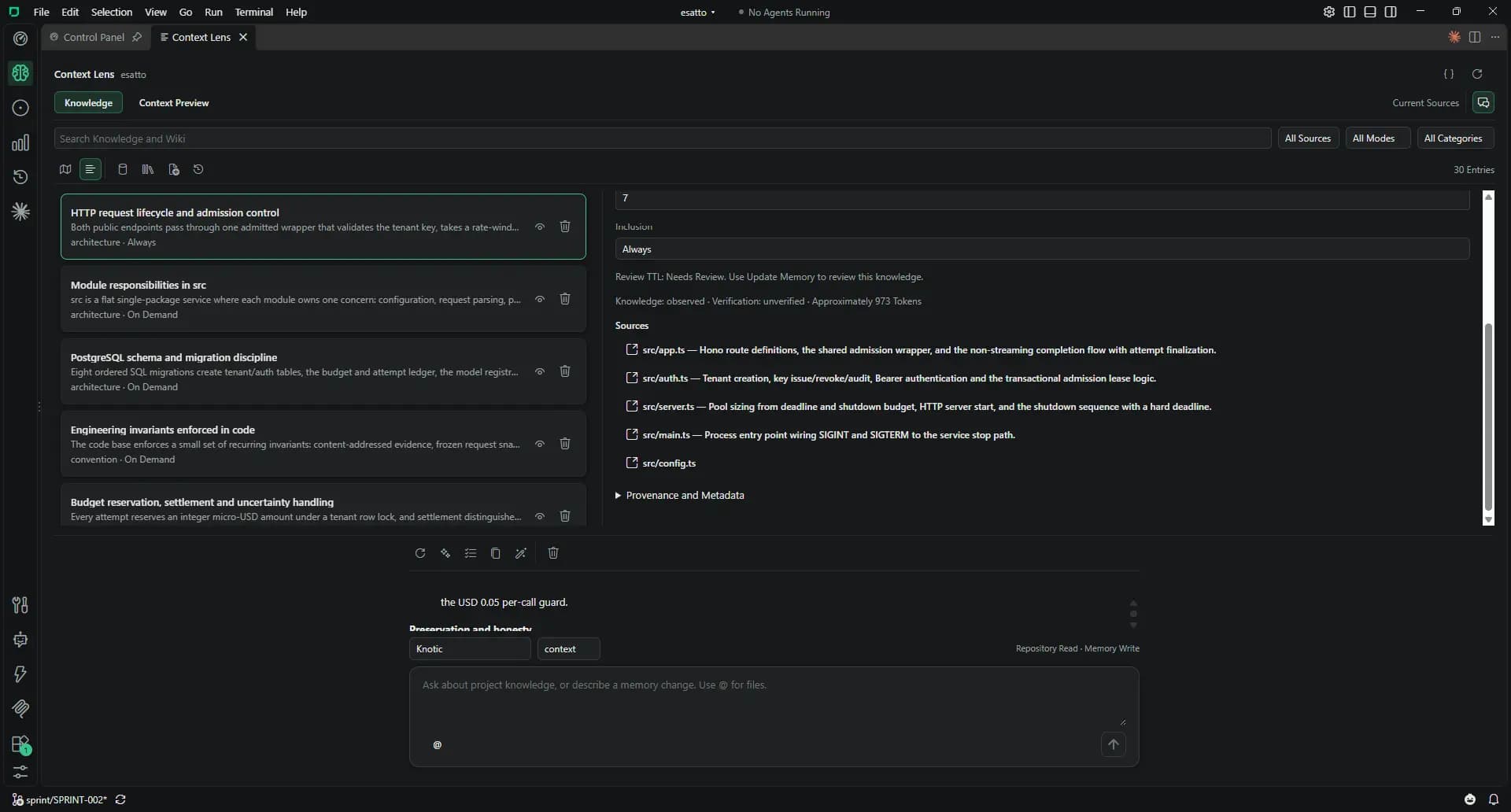
Working with Context Lens
Initialize the knowledge
Open Context Lens and choose Initialize Knowledge. The Memory Agent describes project features, file responsibilities and conventions.
Review the List or Map
Search and filter knowledge, edit entries inline and add Markdown wiki documents. The Map shows tags, categories and relationships.
Preview the context
Context Preview shows what a request would receive, token estimates and inclusion reasons without running inference.
Harden the useful findings
Knowledge Hardening consolidates a concluded Session into project memory. Choose Manual, After Each Response or Background in Settings → Agents.
Share through Git
Commit .knotic/brain.loom and .knotic/wiki/. Review the memory diff in a pull request, then pull changes on each machine.
Context Lens: the details
Open the details that matter to your workflow.
Plain files
Project memory uses one JSON document in format v4 and a Markdown wiki. It needs no vector database or external memory service.
A bounded context budget
A model searches enabled descriptors before deterministic packing. Memory is capped at 32,000 tokens, reduced by model capacity; required entries are preserved.
Memory maintenance
Entries have a seven-day default TTL. Update Memory reviews expired knowledge. Find Duplicates, Improve Summaries and Review Selection help keep it useful.
Memory Agent
Revision checks protect memory edits. The Memory Agent writes knowledge and wiki descriptions, never your code.
Optional by project
A project works without .knotic/. Ordinary Sessions can read existing memory without a license; the Context Lens UI requires a verified key.
Know the boundaries
- Sharing happens through Git commits; Knotic does not sync memory between machines.
- Review memory changes: there is no automatic semantic verification.
- Worktrees are separate projects. Cross-project memory and PDF, DOCX or image imports are not supported.