
See the context. Follow the cost.
Inspector shows what the model received. Monitoring tracks tokens, credits and spend per project on your machine. Neither requires a paid plan.
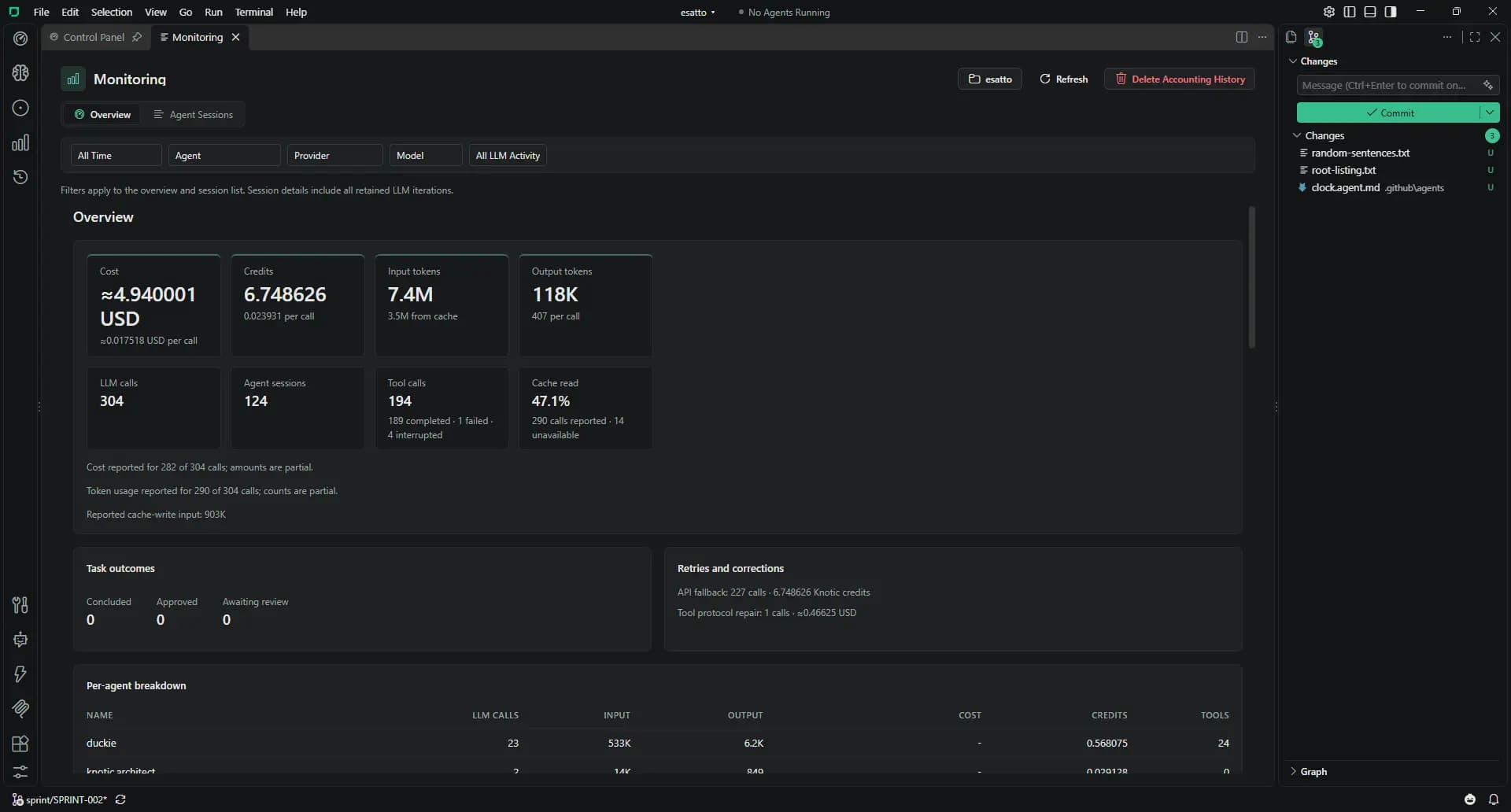
Working with Monitoring & Inspector
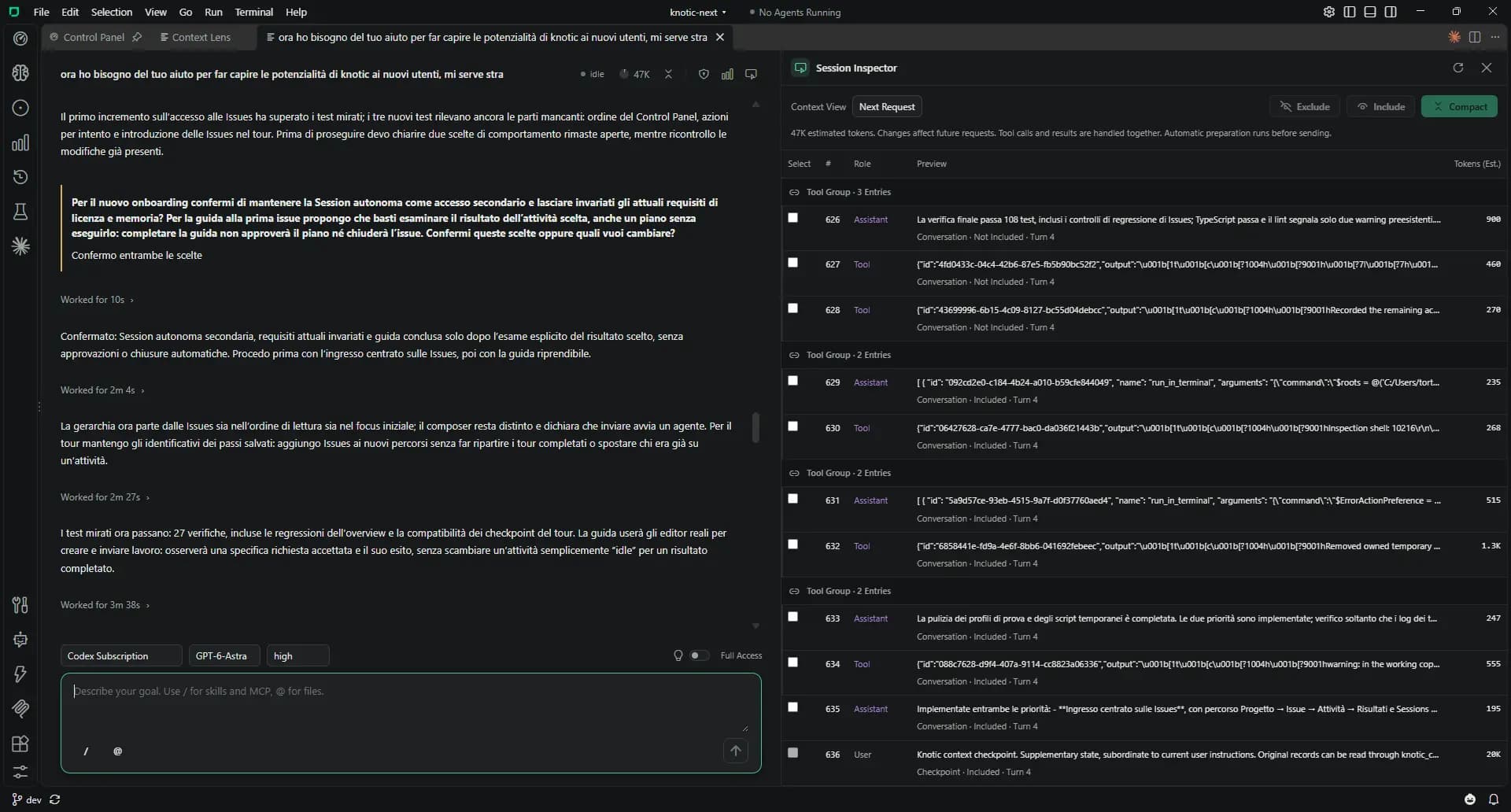
Open Inspector
Use the button in a Session header. Last Sent shows the normalized input handed to the provider for the previous request.
Preview Next Request
Review roles, origins, checkpoints and estimated tokens. Memory entries include their selection diagnostics.
Adjust the next input
Exclude or include records. Compact selected agent turns into a checkpoint using the current model; originals stay in history.
Open Monitoring
Read prompt and completion tokens, calls, costs, credits, tool outcomes and daily spend for the past 90 days.
Follow an activity
Agent Sessions lists retained LLM iterations. Open the owning document, inspect model breakdowns or review costs aggregated in the Issue editor.
Monitoring & Inspector: the details
Open the details that matter to your workflow.
Credits and currency
Knotic credits and monetary costs are separate units. Monitoring shows accounting coverage, cache reads, retries and corrections.
Subscription estimates
Claude Code and Codex costs are API-equivalent USD estimates marked ~. They do not represent your subscription invoice.
Context management
Settings → Harness controls compaction thresholds, preview budgets, output reserve and per-model capacity. Automatic management is enabled by default with a 70% trigger.
Ask Duckie
Ask about spending or iterations in your current or known projects. Duckie reads the local accounting data.
Inspector: the input behind the answer
Know the boundaries
- Monitoring is per project on each developer’s machine; it does not aggregate across machines.
- Local token estimates are distinct from provider-reported billed usage.
- Deleting a Session retains minimal accounting until you explicitly clear project accounting history.