
Your AI workflows, under control.
Your editor, coding agent and project memory in one desktop workspace. Start with an Issue, choose an activity and review the result.
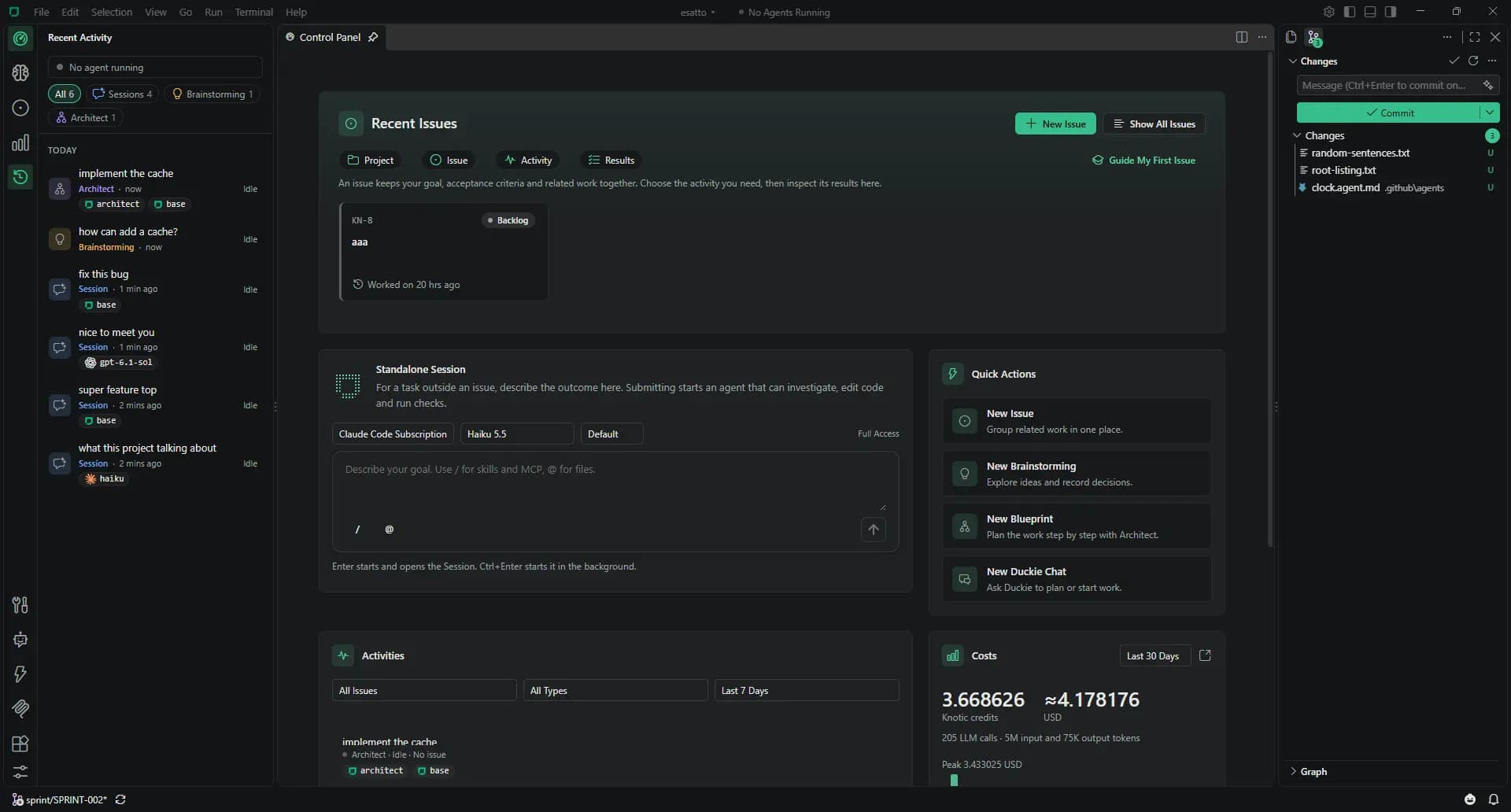
Every change follows the same four steps.
Pick a project, describe the work in an Issue, run an activity and review the results before you close it.
Project
Open a local folder. In a multi-root workspace, choose which project an activity belongs to.
Issue
Describe the change, add acceptance criteria and set an optional credit budget. The Issue keeps activities and costs together.
Activity
Choose Session for a task, Architect for a plan or Brainstorming for an idea. Creating an activity never starts inference.
Results
Review diffs, Blueprint results or a specification. Inspect the context and cost. You decide when the Issue is done.
Choose the activity for your Issue.
Explore the product, one view at a time. Every activity keeps its result with the work.
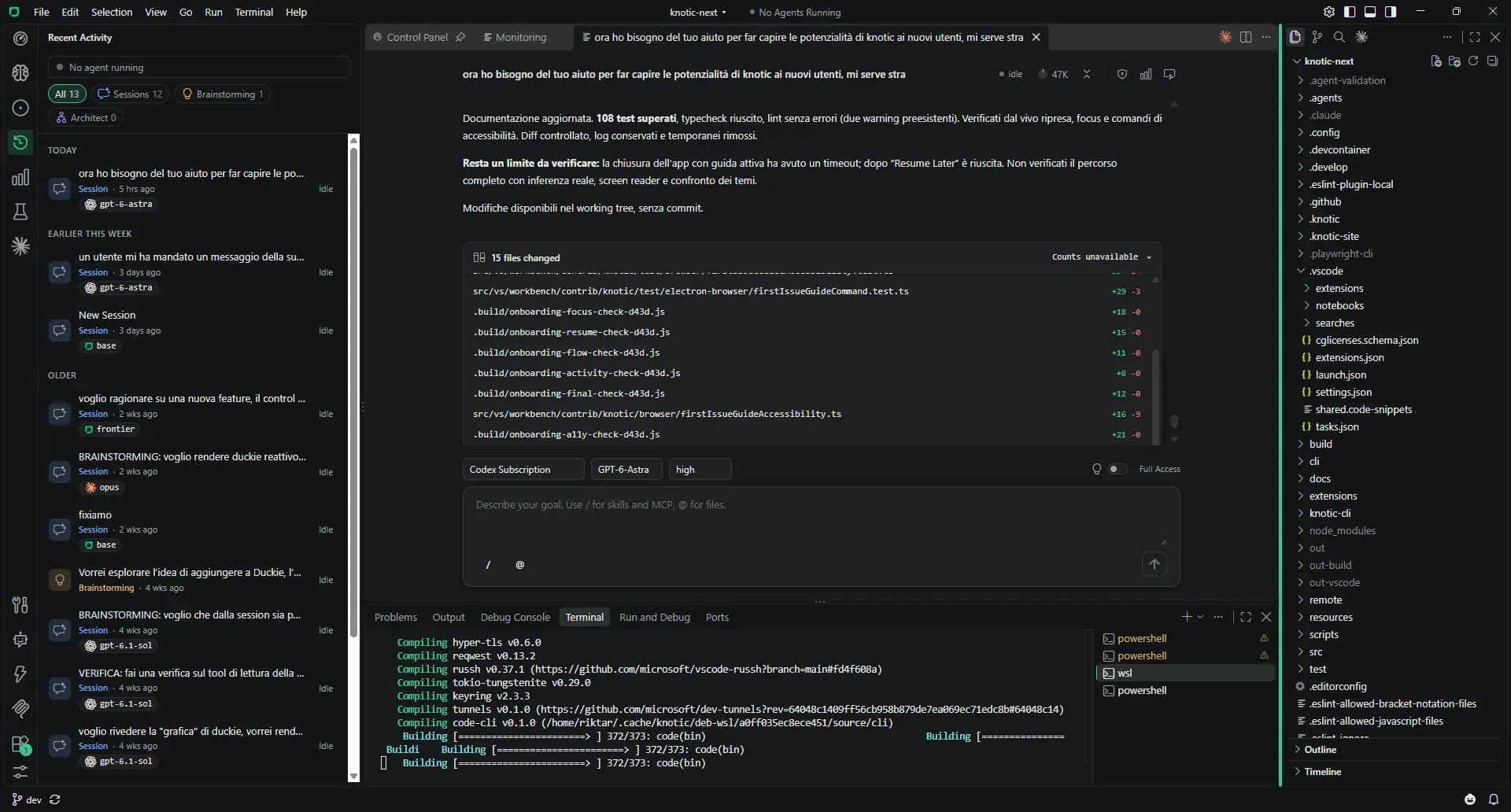
Code with context.
Pick a model, attach files, review every diff.
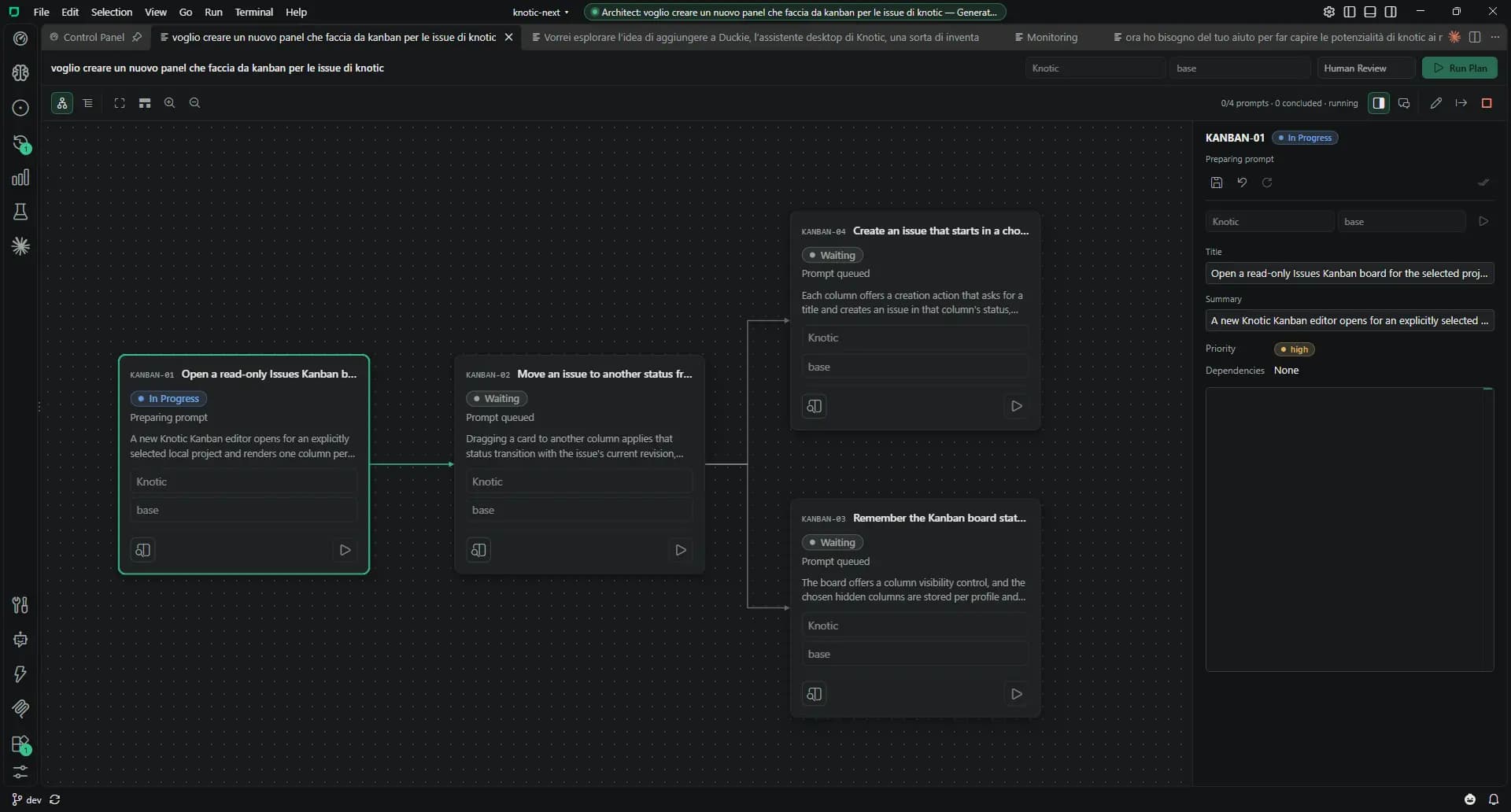
Plan before you code.
Turn a goal into a Blueprint. Choose a model for each step.
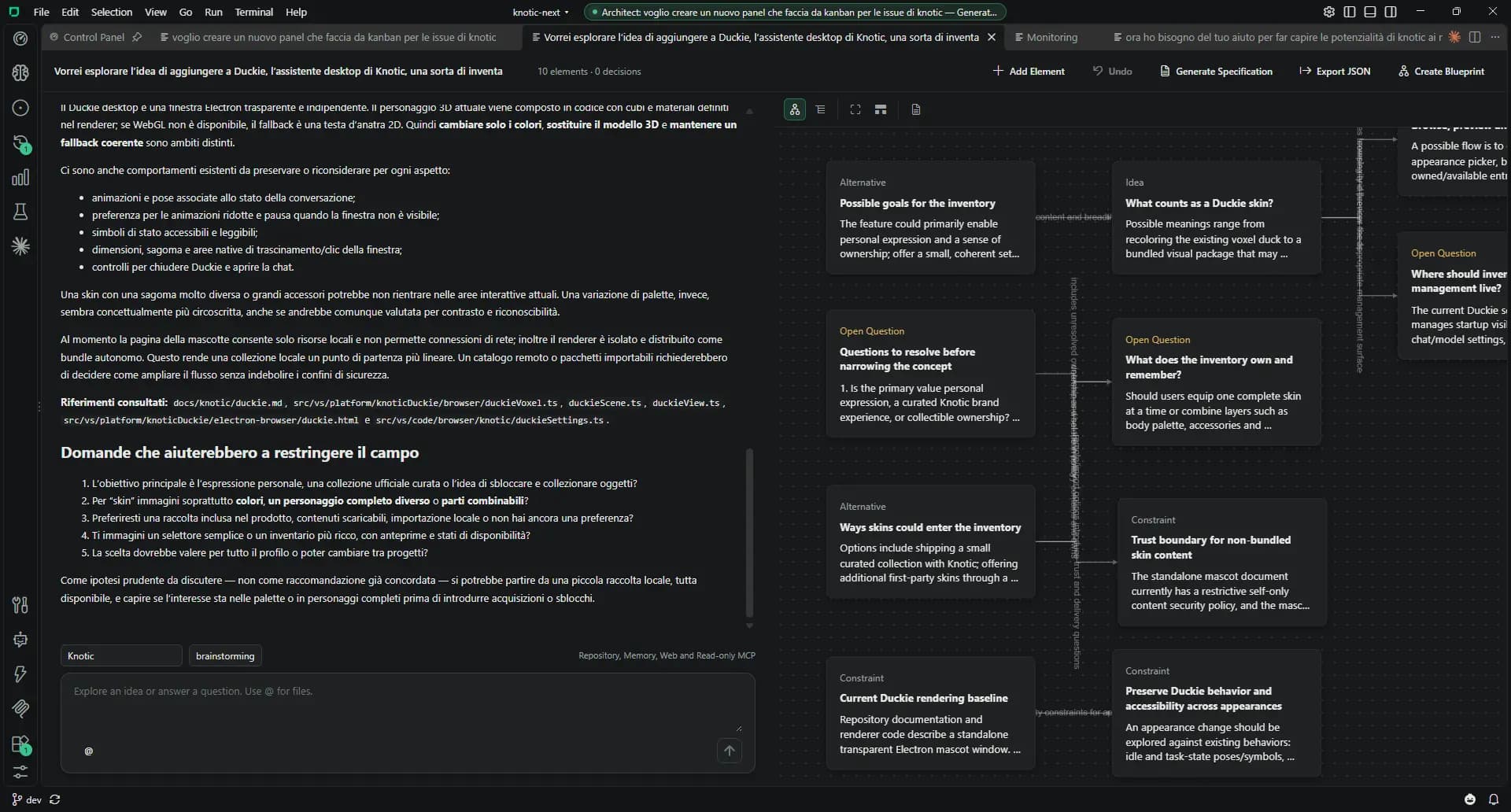
From idea to spec.
Explore options in a concept map. Hand the spec to Architect.
Knowledge that stays.
Architecture, conventions and decisions, committed with your code.
Find the tools for your workflow.
Go deeper into the part of Knotic you need.
Sessions
A coding agent inside your project.
Architect & Brainstorming
Give the big changes a plan.
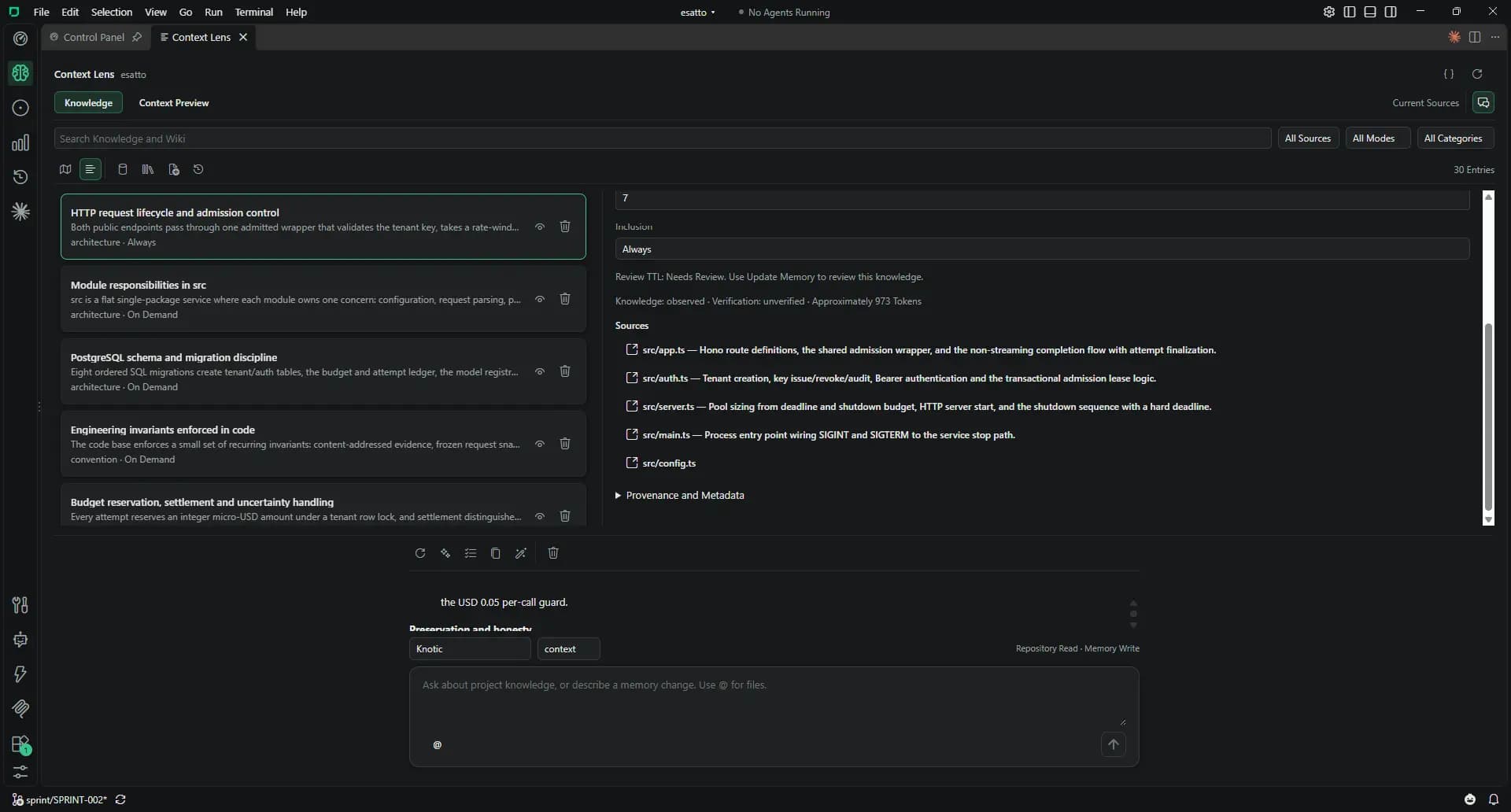
Context Lens
Project memory belongs in your repo.
Monitoring & Inspector
See the context. Follow the cost.
Models & Providers
Bring the models you already pay for.
Duckie
A project assistant on your desktop.
Skills, Agents, Hooks & MCP
Keep the conventions you already use.
Connect your choice of AI.
Select a connection to see the setup and the Free or paid access that comes with it.
Settings → LicenseCredits meter usage, not a fixed number of requests.
Your provider. Your keys.
Any OpenAI-compatible API. Keys stay in your OS credential store.
See provider accessSettings → ProvidersSessions: Free. Architect, Brainstorming and Context Lens: paid plan.
Settings → Providers → EndpointSessions: Free. Planning and Context Lens: paid plan.
Your Claude Code or Codex plan.
Sign in with the official CLI. Keep memory and workflow in Knotic.
Connect a subscriptionSettings → AI SubscriptionsVendor limits apply. Sessions: Free. Planning and Context Lens: paid plan.
Still your editor
Explorer, Source Control, terminal, debugger, Extensions view, keyboard shortcuts and themes. Knotic uses the VS Code extension API 1.140, with Knotic Dark as its default theme.
Local storage. Explicit model requests.
Your history
Conversations, runs and accounting stay on your machine, per project.
Your credentials
API keys stay in the OS credential store. Vendor logins stay with Claude Code and Codex.
Your repository
Project memory is plain files. You decide what to commit and share through Git.