
Give the big changes a plan.
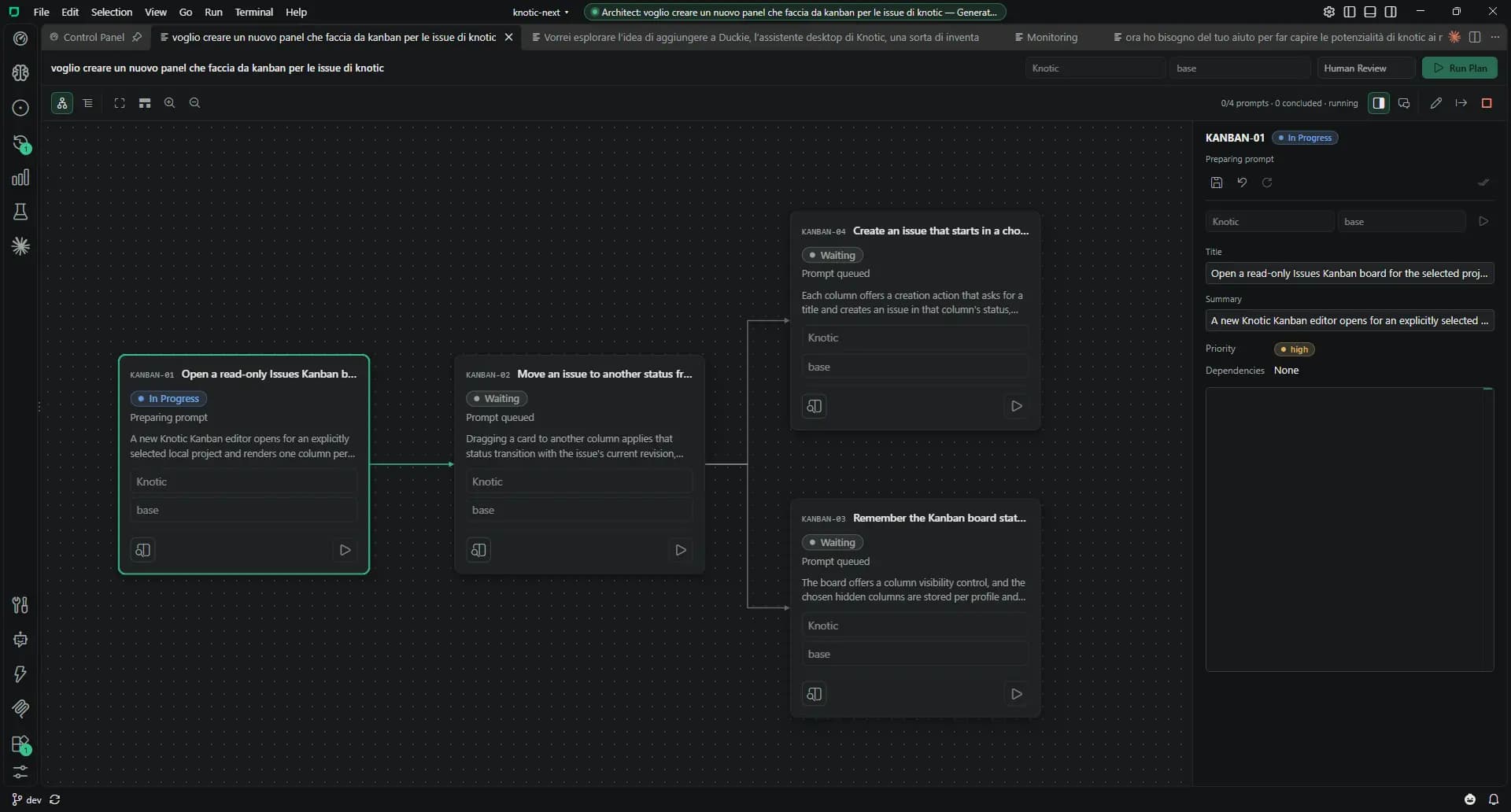
Architect turns an objective into a Blueprint of steps, dependencies and prompts. Brainstorming helps you explore the idea and write the specification first.
Working with Architect & Brainstorming
Describe the objective
Open New Blueprint. Architect reads the project and its memory, and asks questions when it needs more information.
Review the outline
Inspect the dependency graph or list. Each step gets a generated prompt with context and acceptance criteria.
Edit the steps
Open a step to revise its definition or prompt. Choose a coding provider, model and thinking effort for the Blueprint or the individual step.
Run the plan
Use Run Step for an eligible step or Run Plan for the sequence. Coding Sessions execute one attempt at a time in dependency order.
Review results and attempts
Results stay with each step. Continue or restart an attempt and export the Blueprint as JSON.
Architect & Brainstorming: the details
Open the details that matter to your workflow.
A planning model and coding models
Use one model for the planning conversation and choose a different model for each coding step.
Brainstorming starts with the idea
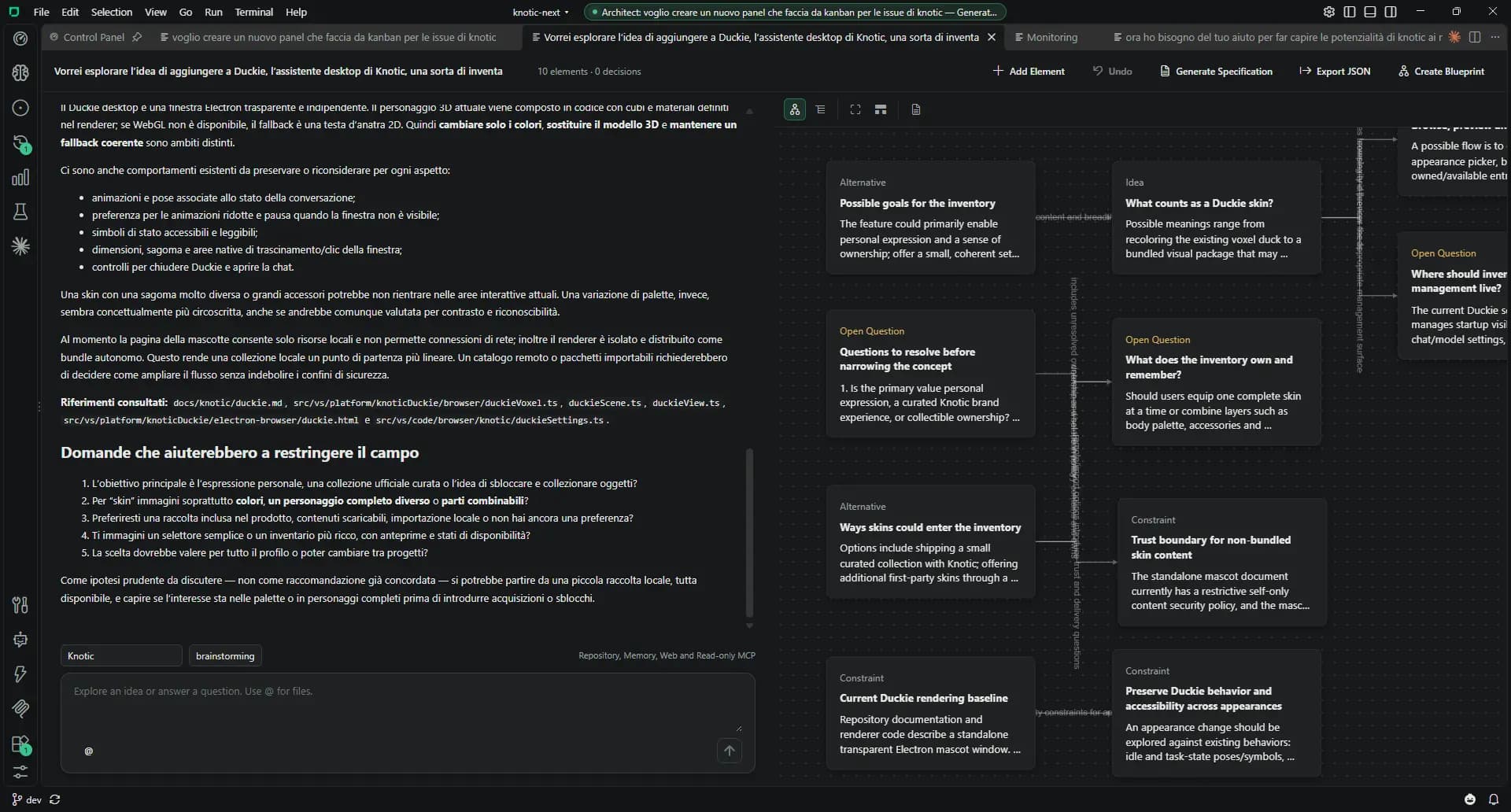
Discuss the objective while a concept map records alternatives, constraints, questions, resources and decisions with their sources. Edit the map, undo changes or import and export JSON.
From specification to Blueprint
Generate Specification produces scope, numbered requirements, rationale and open questions. Create Blueprint passes that specification to Architect.
Research before implementation
Brainstorming reads project files, memory, web pages and MCP tools marked read-only. Decisions are confirmed from explicit messages; deleted map elements stay out of the specification.
Provider access
A verified free key enables Knotic models. Any active paid plan enables configured APIs, local endpoints and subscriptions for planning and Blueprint coding steps.
Brainstorming: from idea to specification
Explore alternatives, confirm decisions, generate a specification and send it to Architect with Create Blueprint.
Know the boundaries
- Architect’s planning conversation and Brainstorming do not modify project files. Blueprint coding Sessions do.
- A Blueprint runs coding attempts sequentially.
- Plans and specifications still need your review.