
A coding agent inside your project.
Run several Sessions at once, choose your model and inspect each request. Full Access lets the coding agent work directly in your project folder.
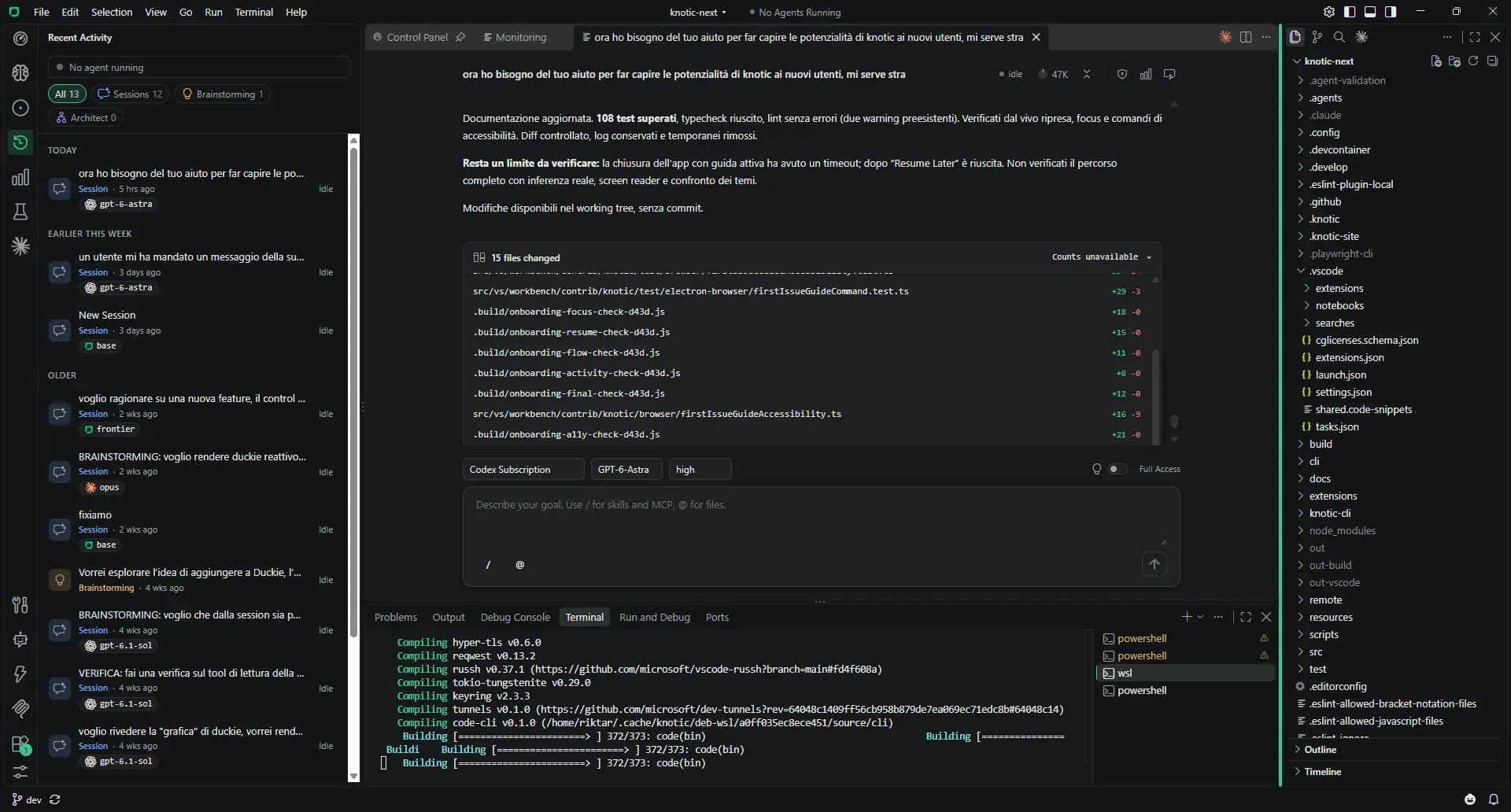
Working with Sessions
Create a Session
Start from an Issue or the Control Panel. Creating a Session does not start inference.
Choose the model
Select a provider, model and supported thinking effort above the composer. Change them while idle without losing history.
Add the task and context
Use / for Skills, MCP operations and custom agents. Use @ for project files, or drag files from Explorer. Nothing runs until you send.
Follow the work
Read grouped operations, progress messages and per-turn file diffs. Queue follow-ups while the agent runs, or stop it.
Review the result
Check the changes. Use Knowledge Hardening to save what matters, or ask for a handoff to Architect.
Sessions: the details
Open the details that matter to your workflow.
Full Access
In-scope tools run without per-action approval. The agent asks real questions when information is missing and stops at required authentication.
Concurrent Sessions
Independent Sessions can run concurrently in the same folder. They share the working tree, so review overlapping edits.
Specialist agents
Define custom agents in .github/agents/*.agent.md. A Session delegates sequentially and shows each result in its own block.
Inspector and Mind Map
Inspect Last Sent and Next Request. The optional Mind Map connects goals, decisions, findings and open questions to source messages, and exports to HTML.
A handoff that keeps the research
On explicit request, a Session opens a Blueprint with requirements, decisions, evidence and questions. The handoff prepares a plan; it does not run it.
Your providers on Free
Ordinary Sessions work with any configured provider without a paid plan. A license key is needed to use Knotic models. Blueprint-bound Sessions follow Architect’s license rule.
Know the boundaries
- Full Access is the only mode. Sessions are not filesystem-sandboxed and have no read-only or approval mode.
- Concurrent Sessions do not use separate worktrees.
- Closing a tab does not stop execution. Restarting Knotic never automatically resumes paid inference.