
Turn a feature idea into requirements
Compare options before committing development time. Brainstorming records the decisions, the reasons behind them and the questions your team still needs to answer.
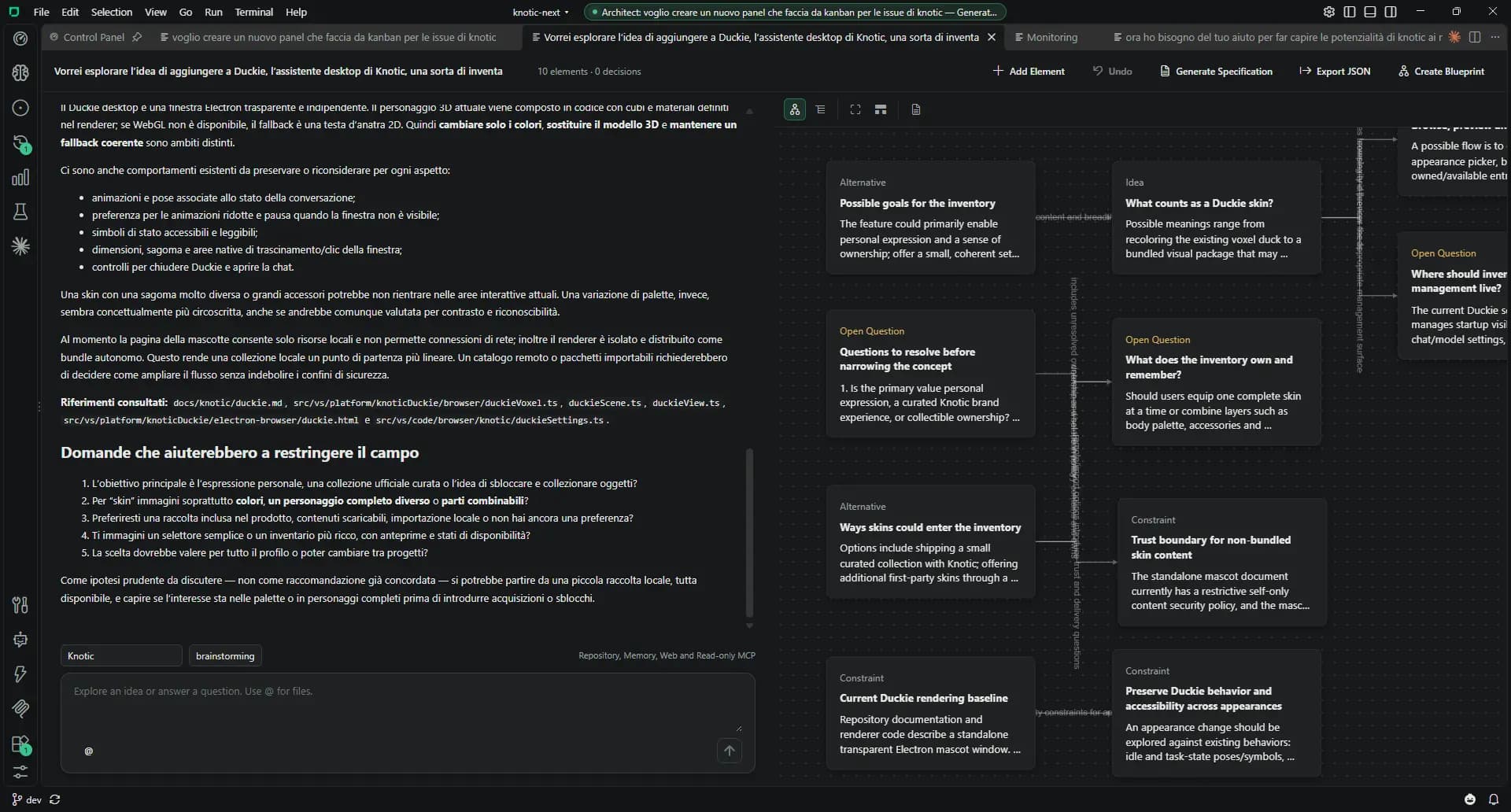
Working with Brainstorming
Step 1 of 3
Explore the idea
Describe the problem. Use the concept map to compare alternatives, constraints and open questions.
Step 2 of 3
Confirm the decisions
Tell the agent which option you chose. Review the map and edit any item that needs correcting.
Step 3 of 3
Write the specification
Generate a specification with the scope, requirements and sources. When it is ready, send it to Architect to plan the work.
Brainstorming in detail
Editable concept map
Review the sources for each idea and decision. You can undo edits or export the map as JSON.
Research before implementation
The agent can read project files, memory and web pages to check assumptions before you choose an approach.
Limits to consider
- Brainstorming researches the project in read-only mode.
- A verified free key gives access to Knotic models. Using another provider for Brainstorming requires an active paid plan.